


Hair Styler App, AI Hairstyle
3.72.11K Reviews
App Specs
- Version
- 2.9.40
- Updated On
- License
- Free
- Downloads
- 1,000,000+
- Developer
- AI Photo Generator, AI Chat
- Categories
- Photography
- Platform
- Android, iOS
Screenshots
 Analysis by AppCompare
When I’m thinking about changing my hair, the hardest part is often explaining the idea clearly enough to know whether it suits me. A photo editor built around hairstyle previews can help me explore possibilities before I make an appointment, but I treat the result as a conversation starter rather than a promise of what a stylist can create. AI Hairstyle is most useful in that early, playful stage: I can compare a few directions without cutting or coloring anything in real life.
Start with a photo that helps the preview
The first decision is not which style to try; it is which picture to use. I’d choose a recent, front-facing photo with my face clearly visible and fairly even lighting. A complicated background matters less than a face that is partly turned away or hidden by hair, glasses, or a hand. If the app’s alignment guide has trouble with the image, trying another photo is usually more productive than repeatedly adjusting the same one.
That small preparation step makes the experience more useful because a hairstyle preview depends on the shape and position of the face in the image. I would also keep the original photo unchanged and use a copy if I plan to crop or edit it elsewhere. That gives me a consistent starting point when comparing different looks, instead of mistaking a change in camera angle for a change in hairstyle.
Try ideas in a deliberate order
Rather than tapping through every option at random, I’d begin with one question: am I considering a shorter cut, a different color, or simply a new shape? Changing one aspect at a time makes comparisons easier. For example, I can first compare lengths while keeping the general look similar, then test color ideas on the closest match. That workflow is more informative than changing several things at once and trying to remember which detail made a preview feel right.
There is also a practical reason to keep the session focused. A virtual preview is a visual suggestion, not a consultation about hair texture, maintenance, or whether a particular cut works with my daily routine. I use it to find vocabulary and references: “shorter around the sides,” “a softer fringe,” or “a warmer-looking shade.” Those are more useful things to take to a stylist than a claim that an image proves a cut will look exactly the same in person.
First Impressions: A Fun and Easy Setup
As soon as I opened the app, the sleek design caught my eye. It's clean, intuitive, and doesn’t bombard you with ads or unnecessary clutter, which is already a win in my book. Setting up was a breeze. You just need to snap a selfie or upload a photo from your gallery. The app guides you through adjusting the image to ensure your face is perfectly aligned, making the hairstyle try-ons as accurate as possible.
Exploring Hairstyle Options
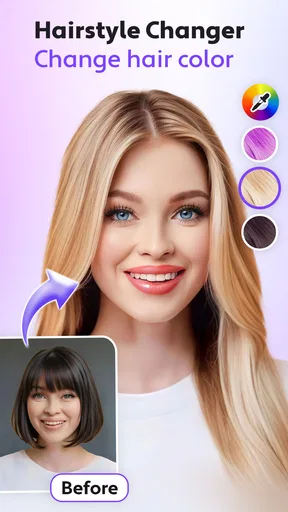
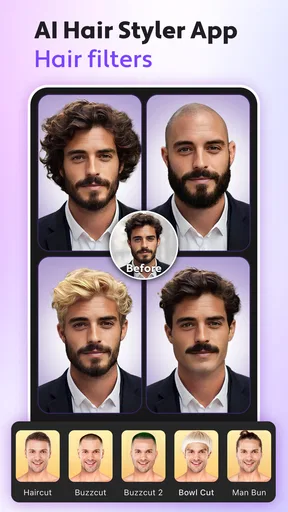
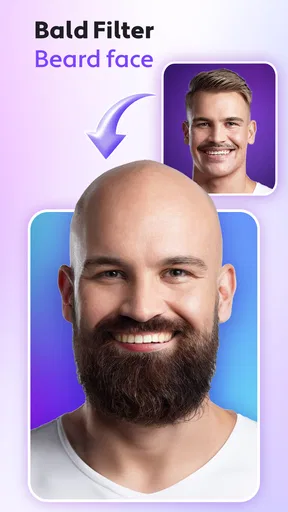
The variety of hairstyles available is nothing short of impressive. From classic cuts to the latest trends, the AI Hairstyle app has it all. You can experiment with different lengths, colors, and styles. Whether you’re considering a chic bob or curious about how you'd look with a bold pixie cut, this app lets you explore without the commitment. I spent a good hour just playing around with different looks, and it was surprisingly satisfying.
Worth Reading Before You Choose

EA SPORTS FC Mobile 26 Is a Bigger Football Game, but It Takes Time

Flipboard Shows What News Apps Must Do Beyond the Feed

Switching to Android Auto Means Rethinking Your Driving Routine

Google Calendar Makes a Crowded Week Easier to Manage

Ludo King Makes the Most of the Minutes Between Plans

Baby Panda World Brings Quick Play to Modern Phones, but Its Game Library Feels Busy
For a real decision, I would narrow that browsing into a small set of candidates instead of saving every result that catches my eye. Comparing a few looks side by side—or returning to the same photo and checking them one after another—helps me notice which silhouette actually feels plausible. A dramatic transformation can be fun, but a modest change may be more helpful if I’m trying to decide what to ask for at an appointment.
AI Technology: The Game Changer
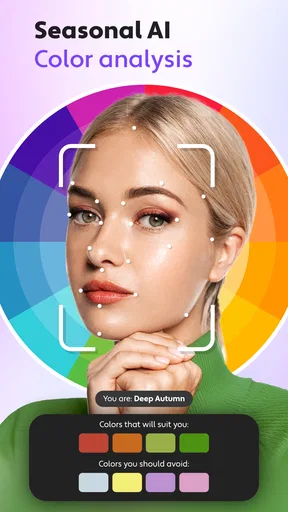
Now, let’s talk tech. The app uses advanced AI to adapt hairstyles to your unique facial structure. The transformation is so seamless that it feels like looking in a mirror. This isn’t just a cut-and-paste job; the AI considers lighting and angles, making the styles look incredibly realistic. It’s like having a personal stylist who knows exactly what works for you.
I’d still check the edges of a preview before treating it as a convincing reference. Hair can overlap the forehead, ears, or shoulders, and those borders are where a generated look may feel less natural than it first appears. Lighting in a selfie can also flatter one color and make another look unexpectedly strong. A second photo in different light can be a useful reality check, especially when the choice involves a noticeable color change.
Customization Galore
What I love most about the app is the level of customization it offers. You can tweak the hairstyles to match your preferences. Want to see that bob with side-swept bangs instead? No problem. Curious about a certain shade of red? You got it. The possibilities are endless, and it gives you complete control over your virtual makeover.
For color experiments, I’d compare the same style in a few shades rather than changing the cut and color together. It keeps the question simple: do I like the shape, or is the color doing all the work? I’d also use these images to describe a direction, not to request an exact match. Real hair color depends on the starting shade and the work involved, so a preview is better for saying “warmer” or “less intense” than for setting a precise expectation.
Sharing Is Caring
Once you’ve found your dream hairstyle, sharing it is a cinch. The app lets you save your favorite looks or share them directly on social media. This feature is perfect for getting second opinions from friends or just showing off your new virtual do. It’s all about community and fun, and this app nails it.
A useful handoff is to save only the strongest examples and show them to someone who understands the decision you’re making. A friend can tell me which option feels most like me, while a hair professional can discuss whether the shape is practical for my hair and routine. I would avoid treating a quick vote among friends as technical advice; a filter cannot account for every detail that matters once scissors or color are involved.
Who will get the most from it
I can see this being handy before a routine salon visit, especially when I know I want a change but cannot describe it yet. It is also a low-stakes way to explore a bold look for a party, a costume, or simple curiosity. If I’m sharing a possible cut with a stylist, I’d bring two or three different references and explain what I like in each, rather than insisting that one generated image is a blueprint.
It is less suitable for someone who needs a precise professional consultation or expects a preview to predict the exact result on their own hair. People who already know their preferred cut may get more value from a stylist’s portfolio or direct advice. And if I only want to adjust a portrait’s lighting or remove a blemish, a general photo editor is a better fit than an app focused on trying hair looks.
How it fits into the photo-app routine
Compared with a standard photo editor, which usually gives me broad tools for retouching and image adjustments, this app puts the hairstyle decision front and center. That focus makes it easier to explore a new look without first learning a large editing workspace. The trade-off is that it is not a replacement for a full portrait editor or a salon consultation: I would use it to generate ideas, then hand those ideas off to a person who can assess the cut and upkeep.
There is a simple everyday workflow here: take a clear selfie before leaving home, try a few realistic options during a spare moment, save the best images, and review them later with fresh eyes. I find that pause valuable. A look that seems exciting while I’m rapidly tapping through options may feel less convincing the next day, while a quieter change can keep appealing after the novelty wears off.
What to expect before installing
Hair Styler is a free photography app from AI Photo Generator, AI Chat. It has a 3.6 average from around 15,000 ratings, with about 1,900 written reviews, and has passed over one million installs. The app is rated for Everyone, and its current version is 2.9.12. Those figures suggest it has found an audience, but I would read mixed user feedback as a reminder that results and expectations can differ from person to person.
The app is free to download, while in-app purchases range from $2.99 to $49.99 per item. I would check the purchase details shown in the app before committing to anything, particularly if I only want to test a few styles. It was released on January 5, 2023, and requires Android 7.0 or later on Android devices. If I’m using an iPhone or iPad, I’d check the relevant store’s compatibility details for my device before installing.
One practical question is whether I need to pay to get a useful first impression. Since the app is free to start, I’d begin by trying the basic experience and decide whether the available options meet my needs before considering any purchase. Another is whether the result is ready to take straight to a salon: I’d say it is a reference, not a guarantee. And if the alignment or preview looks off, I’d try a better-lit, more direct photo before judging the hairstyle itself.
Final Thoughts: A Must-Try for Hair Enthusiasts
Overall, my experience with the AI Hairstyle app was nothing short of delightful. It’s a fantastic way to experiment with new looks without any of the risks. The app is easy to use, visually appealing, and packs a punch with its AI technology. Whether you’re bored with your current style or genuinely considering a change, this app is your go-to tool.
If you’re on the fence about trying it out, just do it! It’s a fun, risk-free way to explore your style and maybe even discover a look you never knew you could pull off. So grab your phone, download the app, and start your hair adventure today!
Pros
- Wide variety of hairstyle options.
- AI generates realistic transformations.
- Simple and user-friendly interface.
- Quick processing of hairstyle previews.
- Regular updates with new styles.
Cons
- Limited free features available.
- Some styles require in-app purchases.
- Occasional app crashes reported.
- Requires internet for best results.
- May not support older devices.
FAQs for Hair Styler App, AI Hairstyle
What is the Hair Styler App, AI Hairstyle, and how does it work?
The Hair Styler App, AI Hairstyle, is a mobile application that uses advanced artificial intelligence to provide users with a virtual makeover experience. By uploading a photo, users can experiment with various hairstyles, colors, and cuts. The AI analyzes facial features to offer personalized suggestions, ensuring realistic and flattering results.
Is the Hair Styler App available for both Android and iOS devices?
Yes, the Hair Styler App, AI Hairstyle, is available for download on both Android and iOS platforms. Users can access the app through the Google Play Store or the Apple App Store, ensuring compatibility with a wide range of smartphones and tablets.
Are there in-app purchases or subscription fees required?
The Hair Styler App offers a variety of free features for users to explore. However, for access to premium hairstyles, colors, and additional features, there may be in-app purchases or subscription options. These purchases help unlock more advanced tools and a broader selection of styles.
How accurate are the AI-generated hairstyle suggestions?
The AI technology used in the Hair Styler App is designed to provide highly accurate and realistic hairstyle suggestions. By analyzing the user's facial structure, hair texture, and personal style preferences, the app delivers tailored recommendations. While results are generally reliable, personal judgment is still essential for final styling decisions.
Can I share my virtual hairstyles on social media?
Yes, the Hair Styler App allows users to easily share their virtual makeovers on social media platforms. After trying different hairstyles, users can save their favorite looks and post them directly to popular social networks or send them to friends and family for feedback and fun.


